
Before you begin editing
- You need to be logged into the staff website (medarbetarwebben) to edit projects.
- Every field (fält) needs to be filled in (both the Swedish and the English) for you to be able to save your project.
- Write directly in the web form to avoid losing content. One idea is to write your text in Word, then paste it into the tool.
For practical tips, please view this instructional video. It provides an overview of the tool's functionality and offers tips for optimising the visibility of your research work online.
Manage content in the tool
Log into the staff web portal to edit projects in the tool.
Project name (title)
The name of the project is to be given in both Swedish and English.
Project period
Provide the start and end dates of your project.
Introductory paragraph
Write a short introductory paragraph (ingress) about the project, about 1 to 2 sentences.
- It should be a maximum of 300 characters: this includes spaces.
- It should be a short, popular-science introduction explaining the focus of your project.
- Avoid simply repeating the headings on the webpage.
- Use keywords that will help a visitor find your webpage.
Popular science project description
Add a description of the project in Swedish (and, if possible, in English) that presents your academic material in an accessible and interesting way for a wider audience. The goal is to bridge the gap between the research community and society without compromising scientific accuracy.
Project manager and project members
- Add the name of the project manager (internal and external).
- Include project members from Dalarna University or other higher education institutions.
Funding
- State the research funding body; provide its name and logo.
- Provide a link to the website of the funding body.
- Contact kommunikation@du.se if you require a logo.
Publications
- List relevant publications according to this format:
Last name. First name. Title. Place of publication. Year. Link to DiVA.
Pictures
- Upload pictures in their original resolution: at least 1080 px, width and height.
- Maximum file size: 11 MB.
- Note: You must include a picture description (bildbeskrivning) before you can save the page.
Other information
Webpage editing rights
The project manager can share editing rights with other project members.
Links and storing documents
You cannot upload documents or videos directly to the tool. The files first need to be uploaded to another website. You then put the links under the correct heading and fields in the tool.
Use and display your research project
When you have completed the content, you can add the link to the project on your profile page or your research group's webpage.
Display research projects on your profile page
Research projects are important in the general presentation of the university’s research. When you add your project, your research becomes searchable for external visitors, such as researchers and journalists.
You can manually list research projects on your profile page. Update your personal profile page by searching for your name on the staff website (Medarbetarwebben) and clicking on Edit profile (Redigera profil).
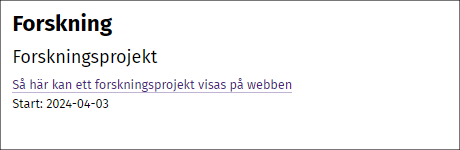
Links on the profile page should be displayed as follows:
Display research projects on your research group's webpage
The research group webpages aim to highlight the research that is being conducted at each university school and at the university as a whole. These pages aim to make it simple for external target audiences to find out about both the research and expertise of the research groups.
Create a webpage about your research group and update it